
How to buy with Kakobuy.
Watch it. Follow the eight steps.
The official Kakobuy video and an illustrated buying guide: find a product, place the order, review QC, arrange shipping and confirm delivery.
Jump to a tutorial step
What is the purchasing service?
Watch the official Kakobuy tutorialOpen the video · Read the illustrated steps
Kakobuy’s purchasing service helps overseas buyers order from Chinese sellers. You choose the product and give the instructions; the agent handles purchasing, warehouse inspection, storage, onward delivery and eligible domestic after-sales requests.
Start with a product in the spreadsheet or a source listing. Check what you want to buy, then use your Kakobuy account for the order and both payment stages.
Official tutorial and screenshots, reviewed 28 September 2026. Interface examples may show older promotions or prices. The written walkthrough below explains the eight steps; check current options in your account.
1. Find the product you want
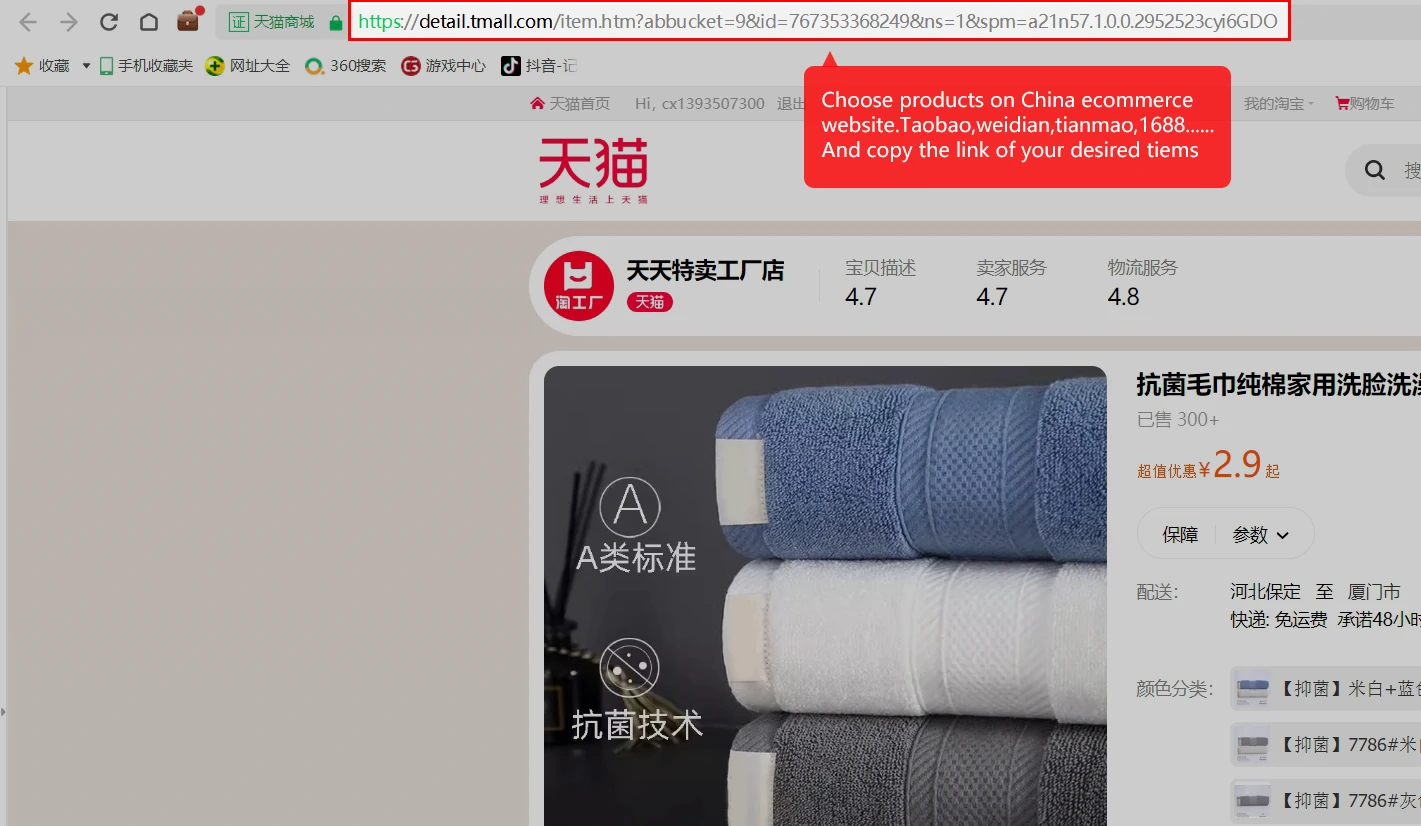
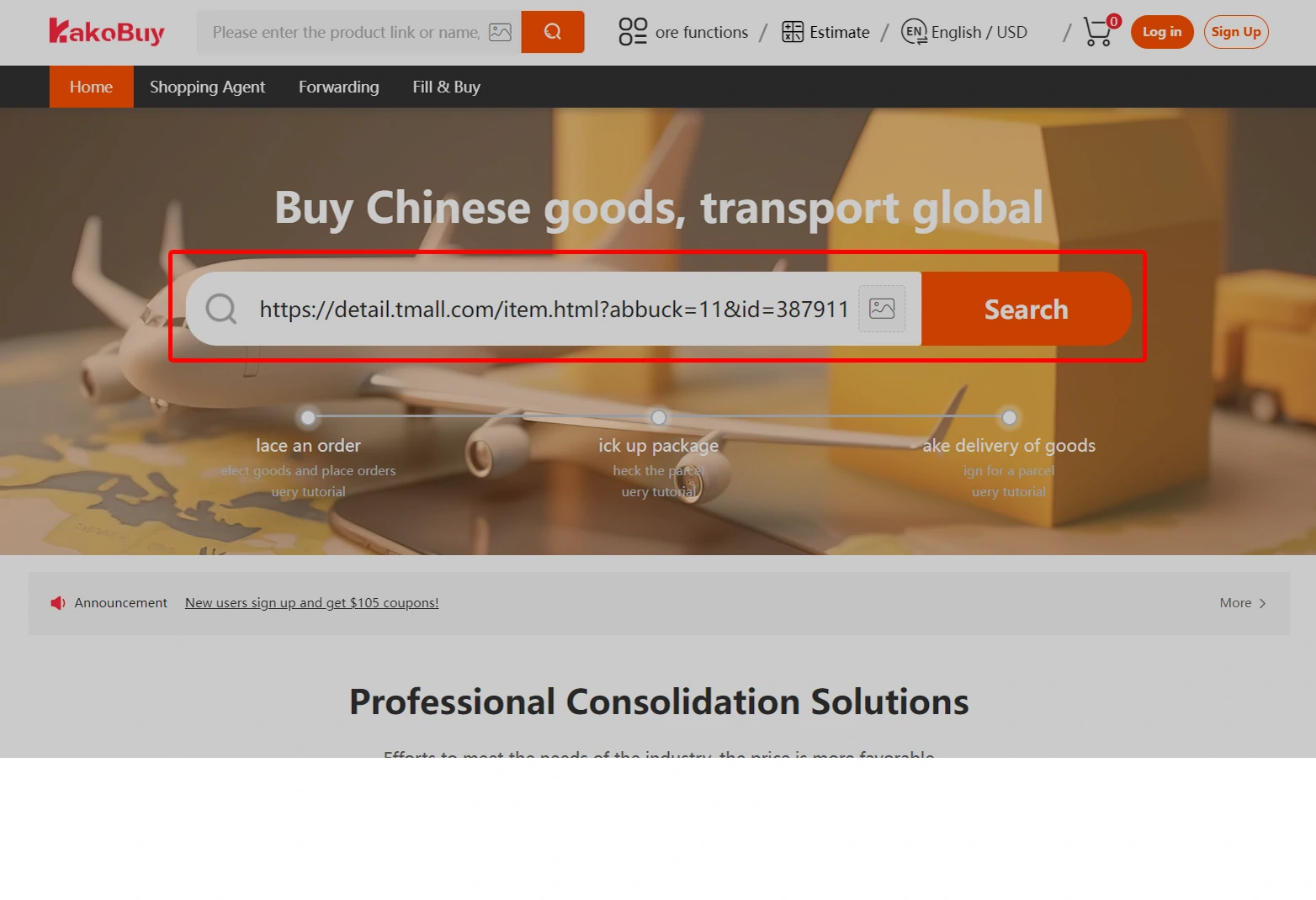
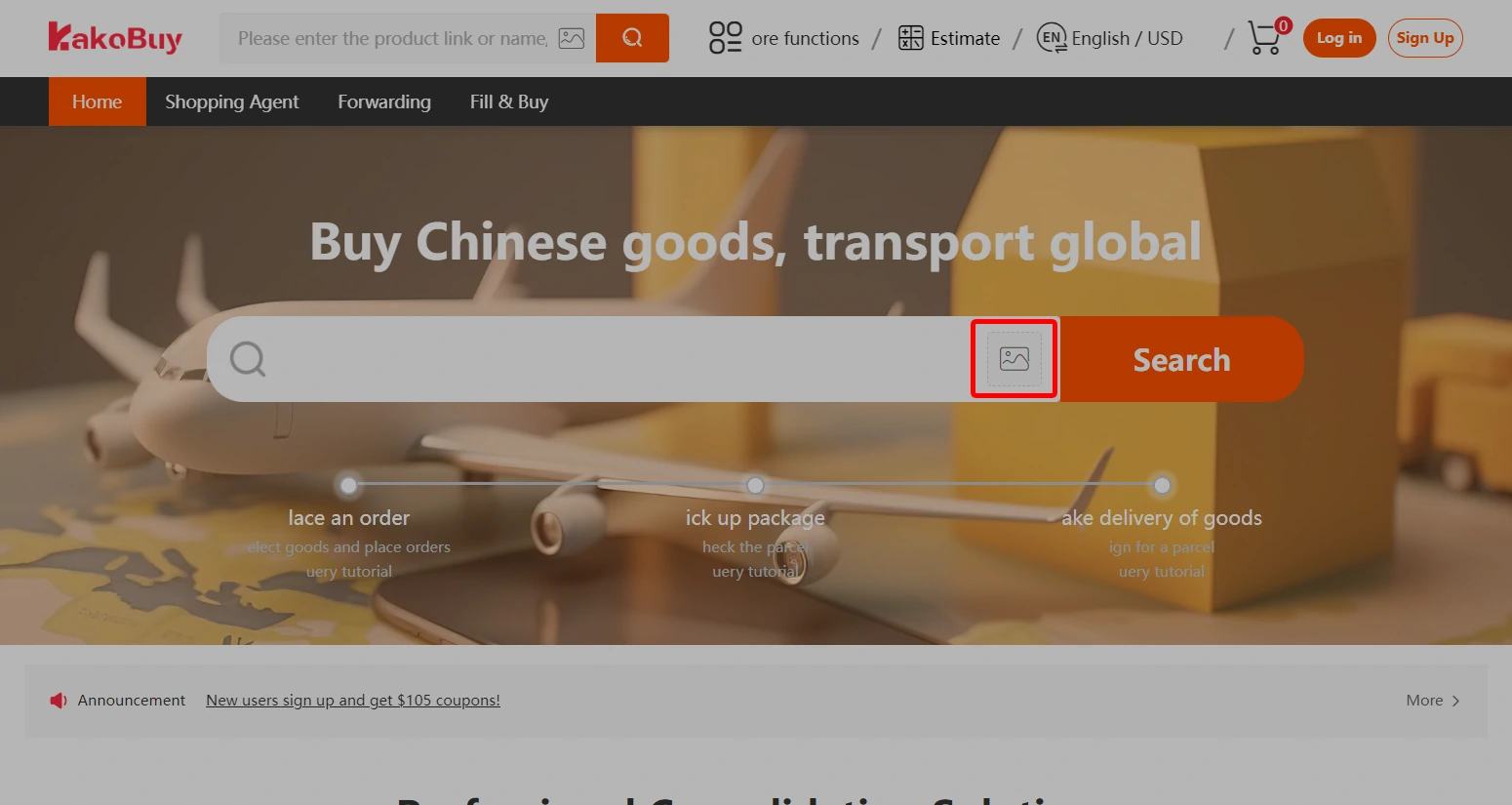
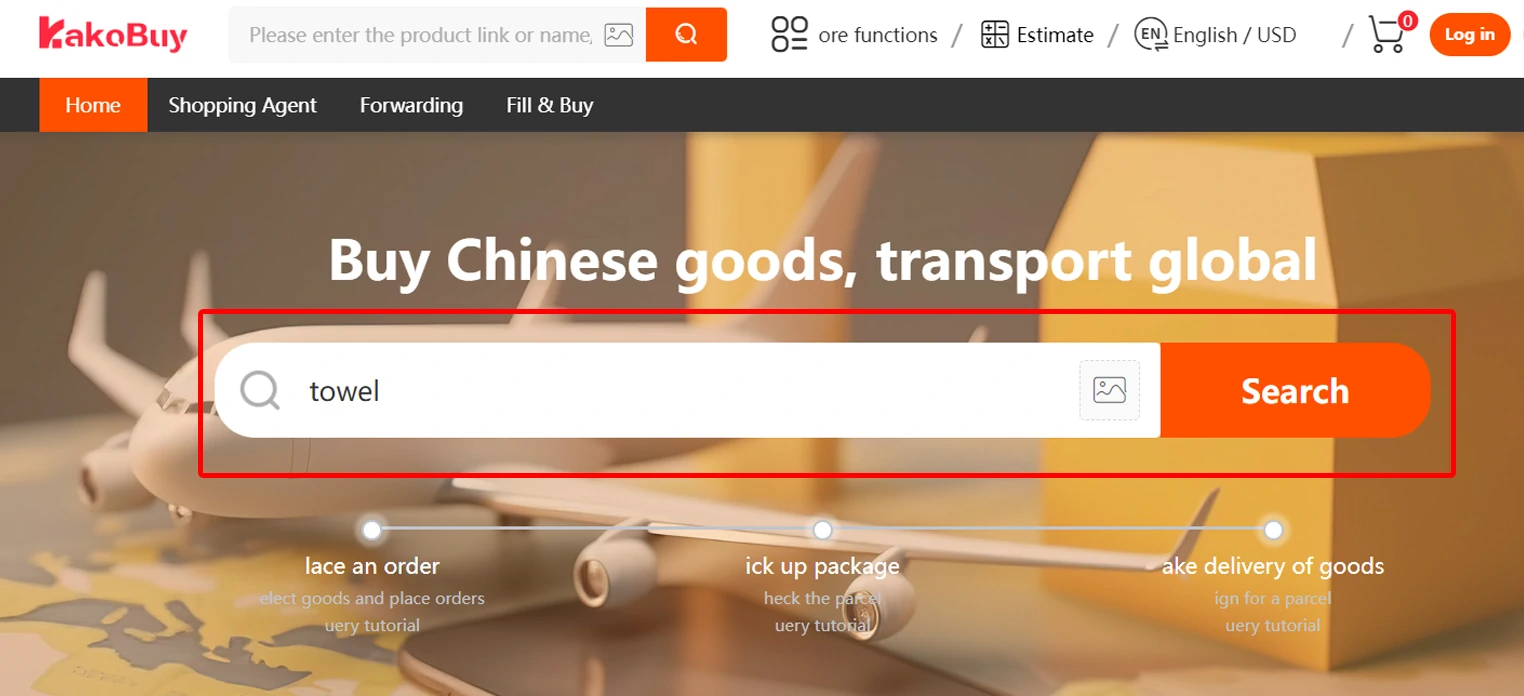
There are three ways to start in Kakobuy. Keep the original listing and check the exact item before adding it to your order.
- Paste a product link. Copy the full product-page URL from a Chinese shopping site into Kakobuy’s search field.
- Upload a product image. Use image search to look for a matching listing, then compare its details with the item you want.
- Search a product name. Enter keywords and browse the supported marketplace results.
The tutorial lists Taobao, Tmall, JD.com and 1688 for product-information search. For a source that does not import, check whether a custom purchase is currently supported.
The latest supplied announcement says Kakobuy is evaluating restrictions on Custom Orders. Confirm current availability before relying on a manual order. Read the account and service update.
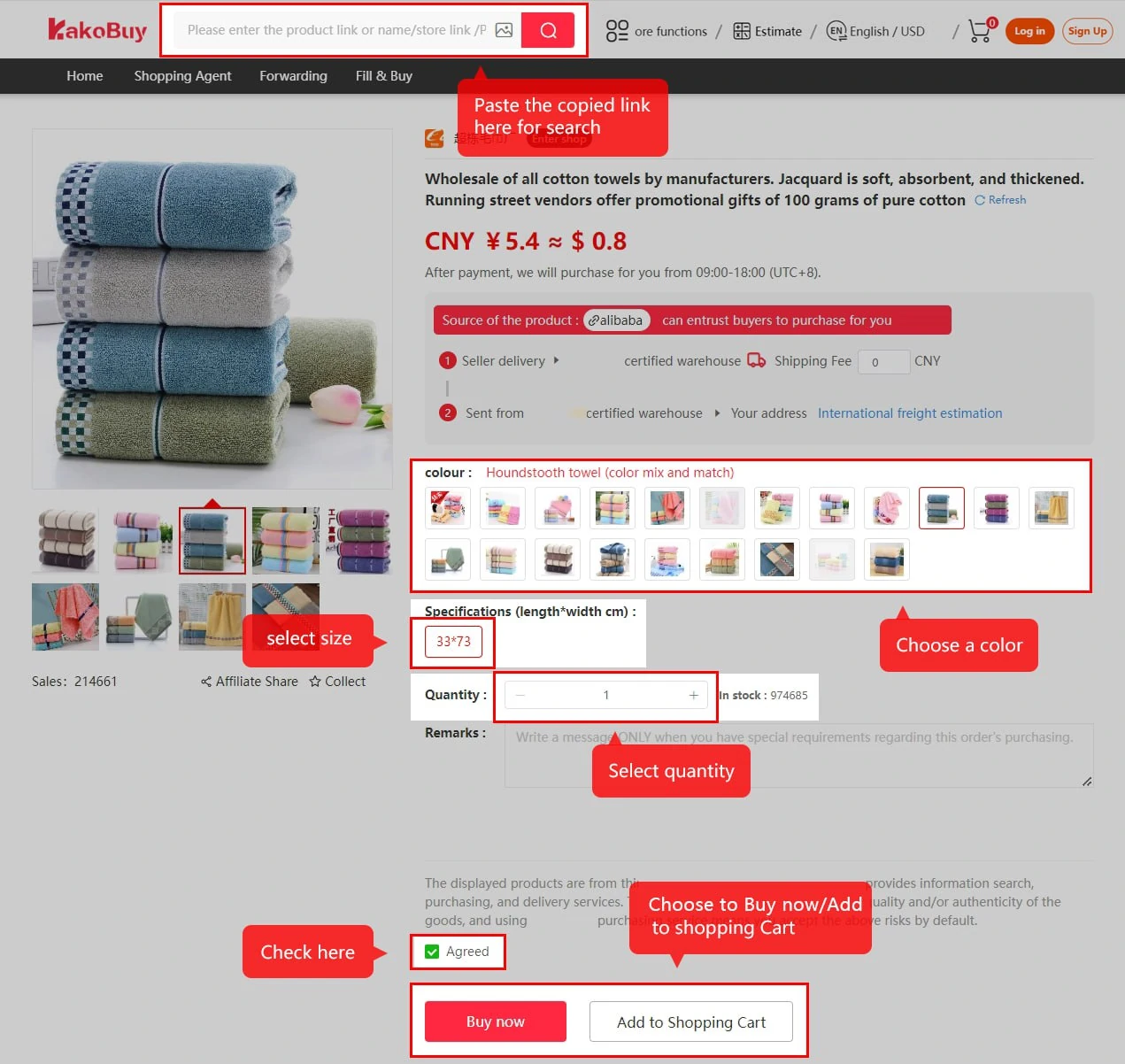
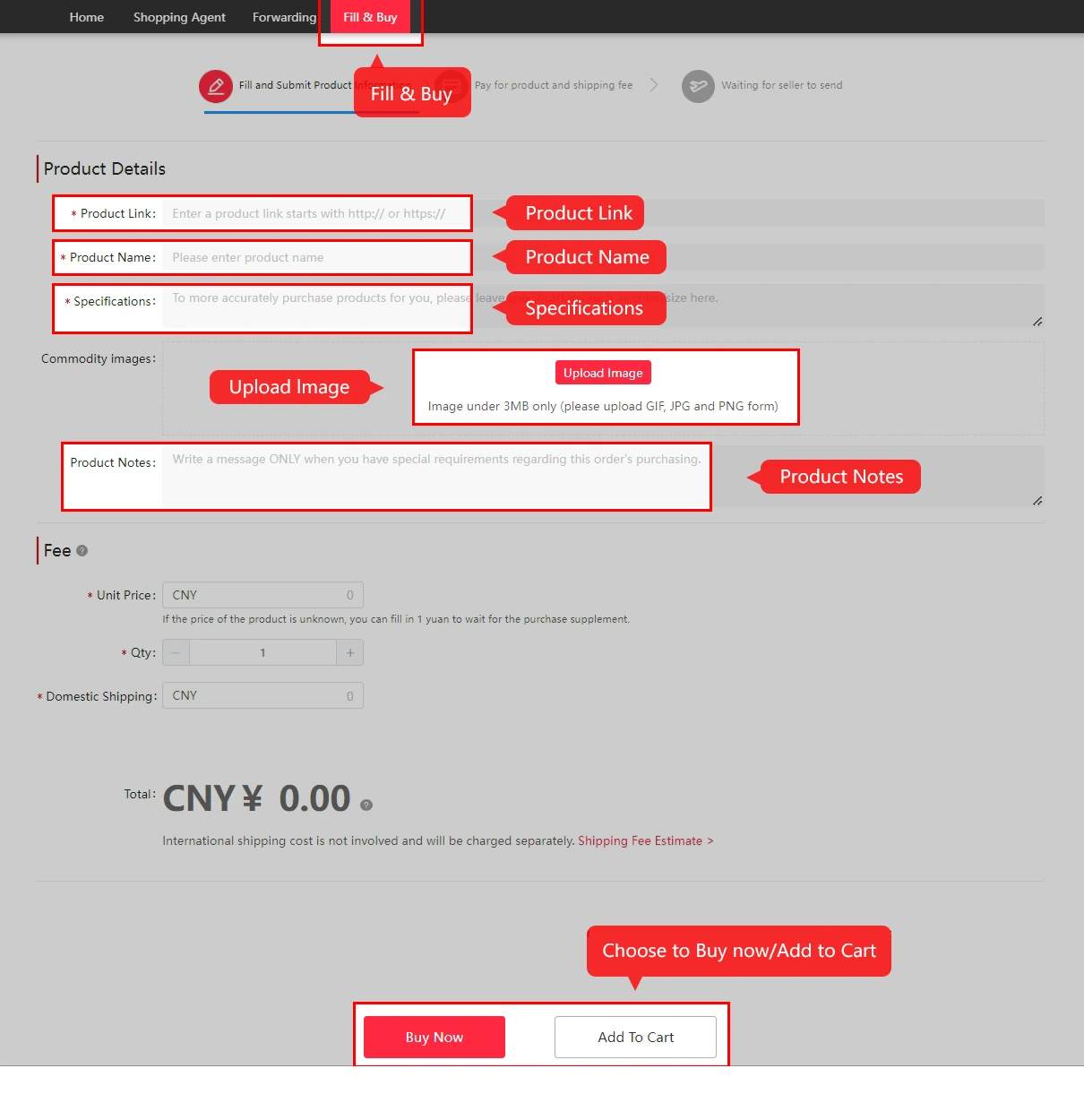
2. Select the options and submit your item
For an imported listing, select the colour, size, specification and quantity yourself. Check that the price belongs to that exact option before choosing Add to Cart or Buy Now.
If Kakobuy asks you to fill in a purchase order, supply the product URL, name, options, price, photos and useful notes. The tutorial directs Weidian, WeChat-seller, Xianyu and Yupoo requests to its Looking for Goods form; use it only if the service is available for your source and item.
- Check the seller’s minimum quantity, especially for 1688 listings.
- Read the product restrictions and any risk notice before paying.
- Ask about unclear sizing or product details before submitting.
3. Pay for the goods and China delivery
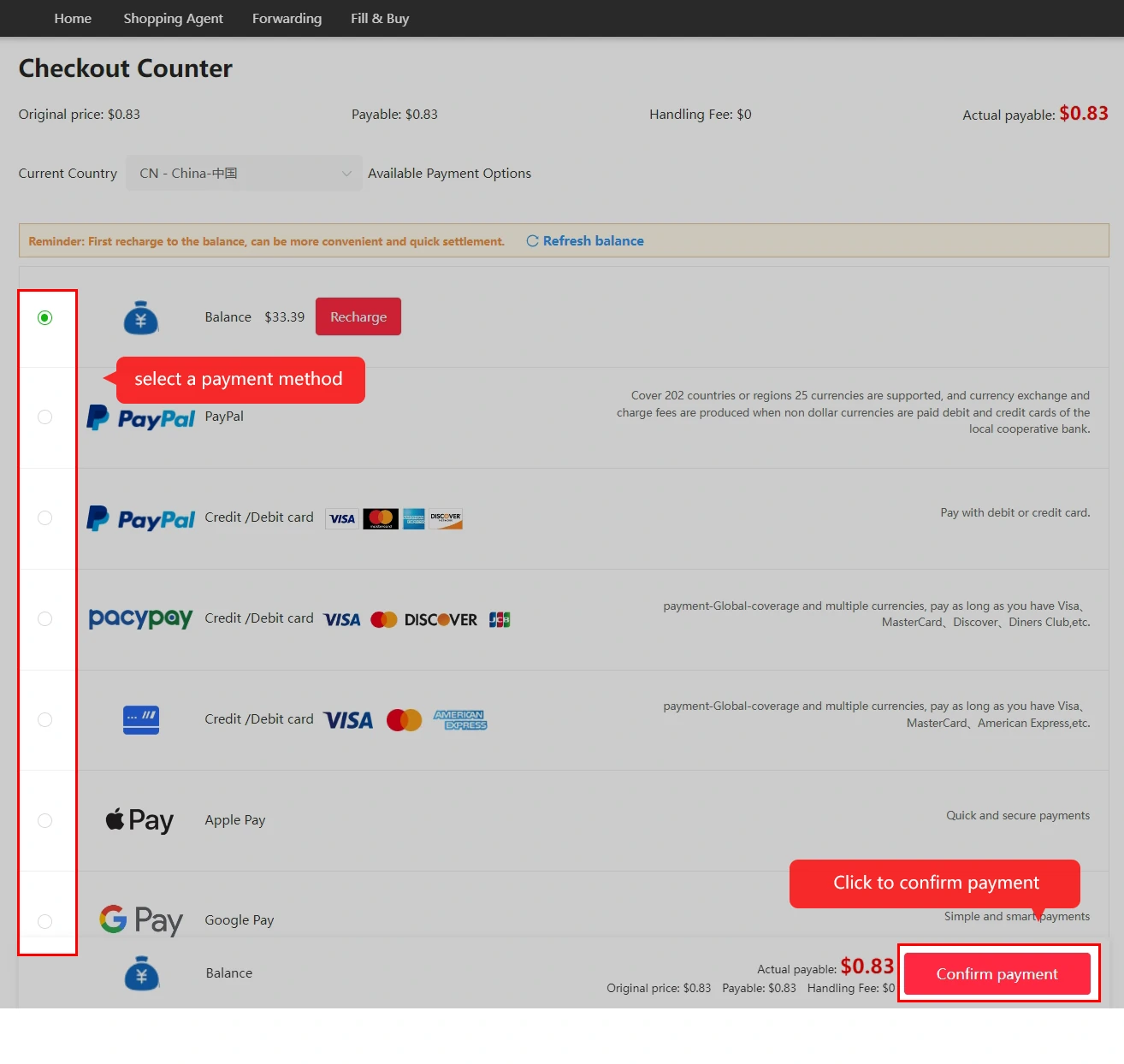
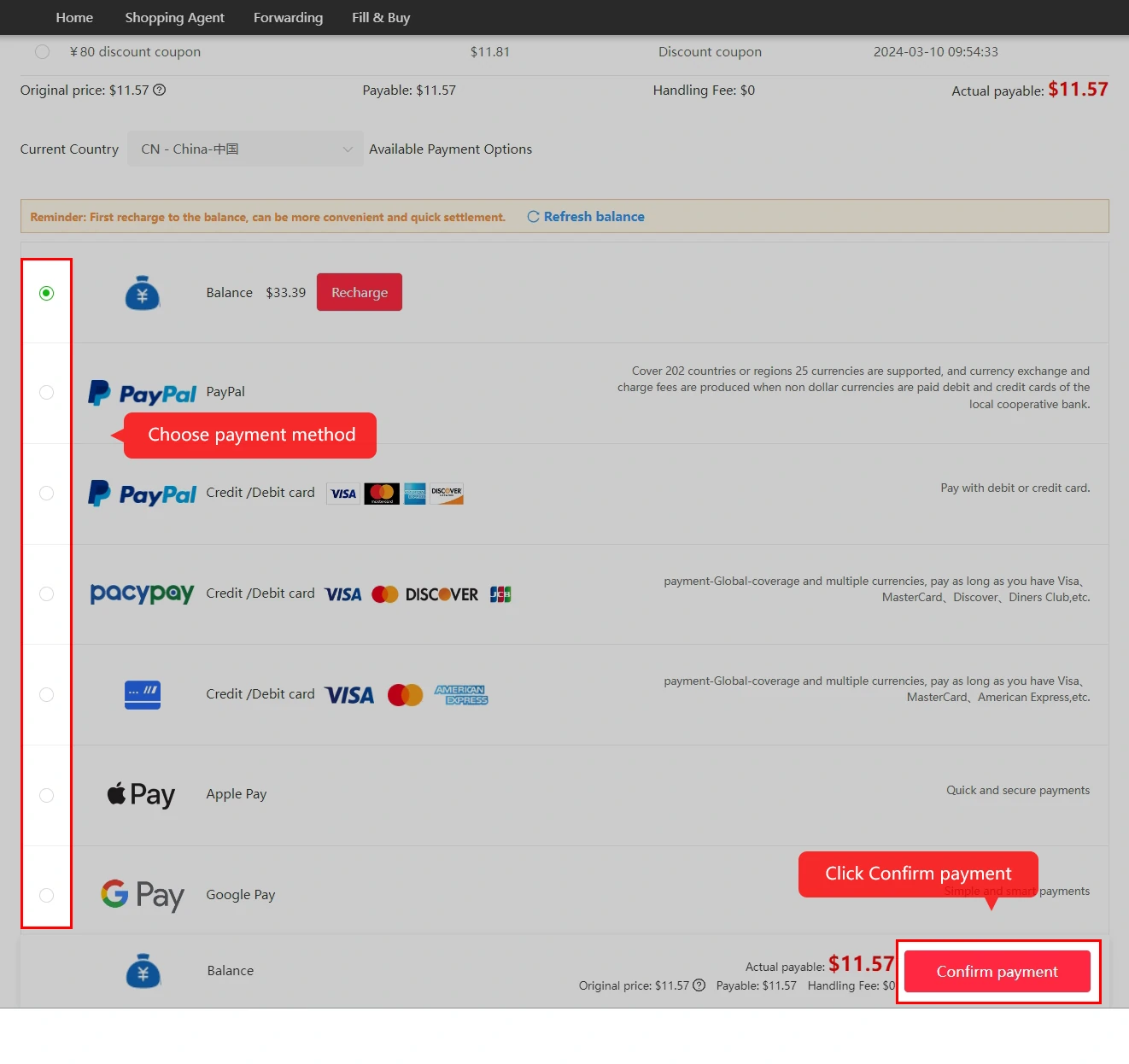
Review the product cost and domestic postage, choose an available payment method and complete the first payment. This creates your purchasing order. International freight is paid later, when you submit the warehouse parcel.
The tutorial names several currencies and payment methods, including PayPal, WeChat and Alipay. The methods shown at your own checkout determine what you can use.
See the fee breakdown and understand the exchange rate before paying.
4. Follow the purchase and seller delivery
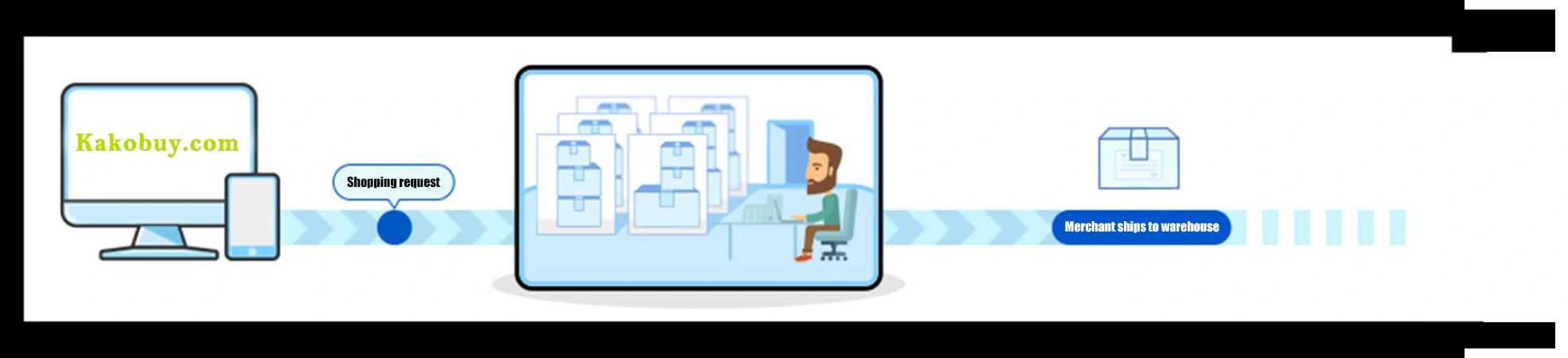
Once payment succeeds, Kakobuy reviews the order and places the purchase after approval. Monitor status updates while the seller prepares and sends the item to the warehouse.
The official tutorial gives a usual review time of 3–5 working hours and a typical domestic delivery estimate of 3–5 days. These are separate stages and estimates; stock, missing information and seller dispatch can change the timing.
For an extra requirement or correction, open Member Center → My Orders → Message. Keep the request attached to the relevant order. Read more about purchasing times.
5. Inspect your QC photos in the warehouse
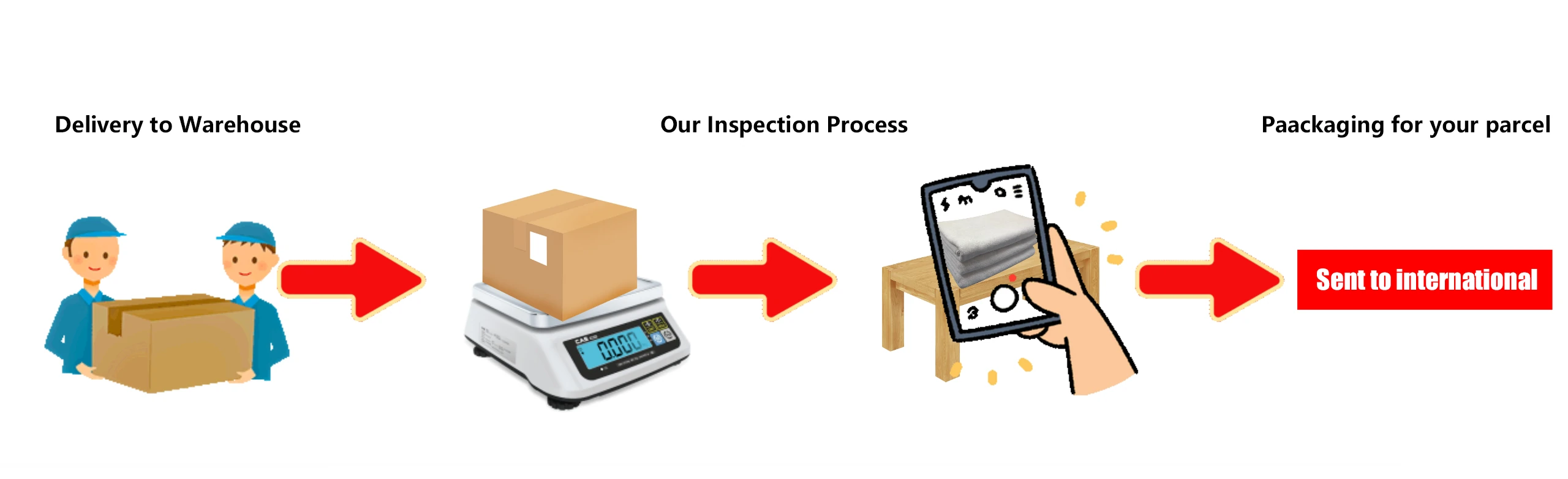
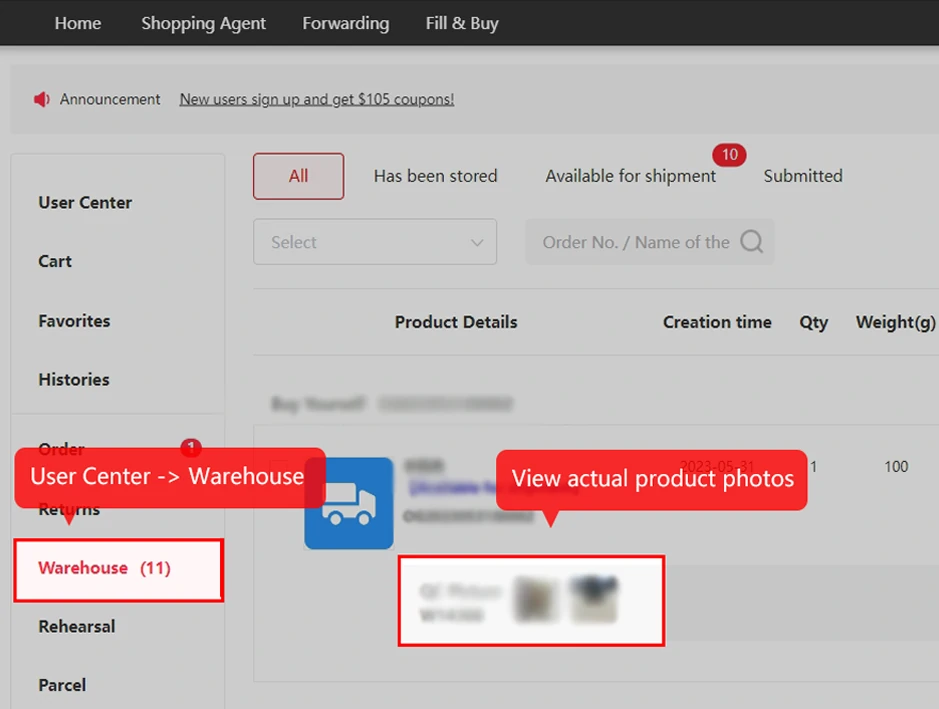
When the item arrives, Kakobuy performs its standard inspection and stores it. Open Orders or Warehouse in your account, then view the photographs attached to that item.
Match the colour, size label, quantity and visible condition to your order. If something differs or an important detail is missing, ask for clarification before sending it internationally. Inspection photos help you review what is visible; they do not establish every aspect of performance or authenticity.
Explore three complete Kakobuy QC photo sets, then use the checklist on that page for your own order.
6. Submit a parcel and pay international shipping
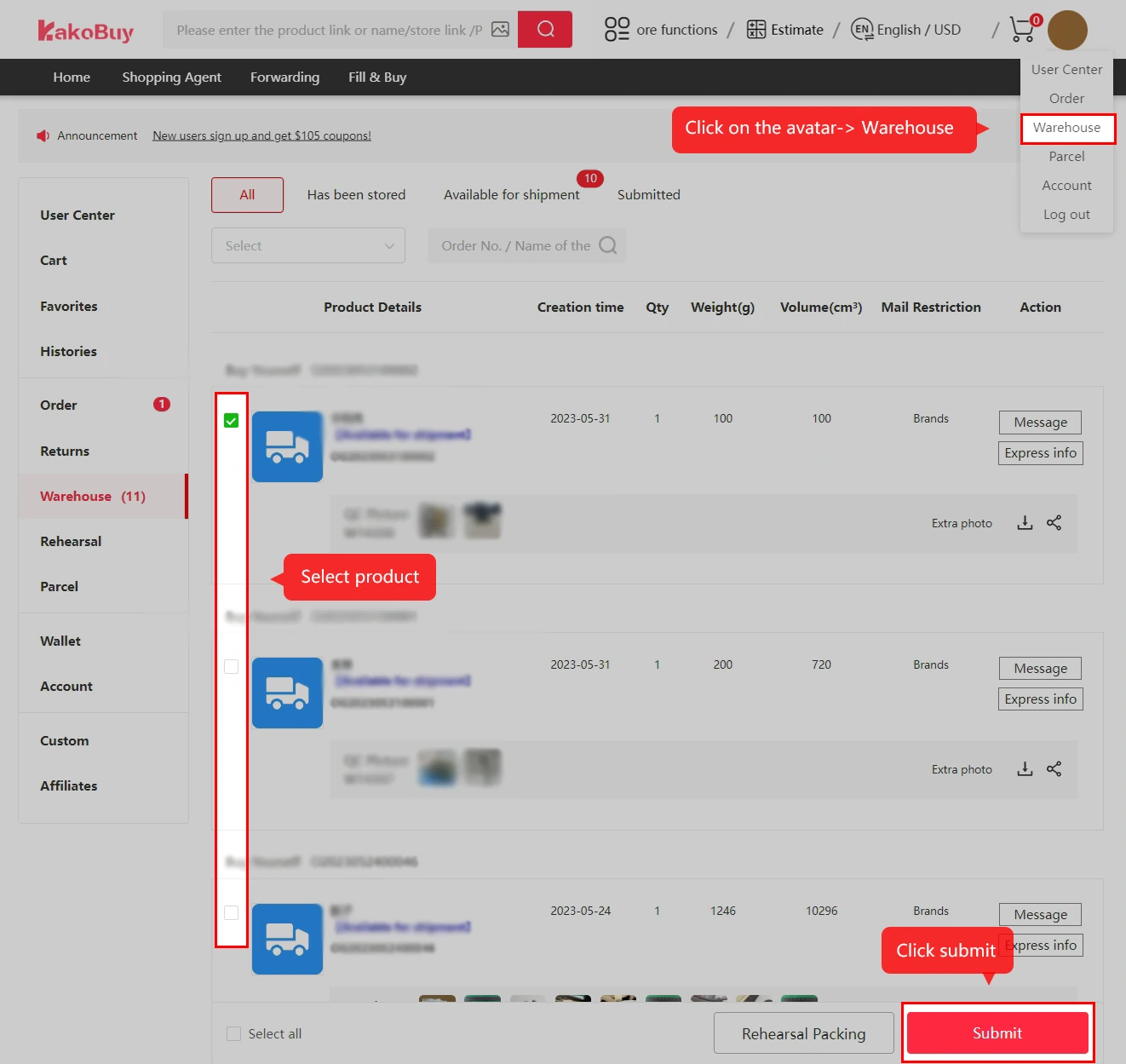
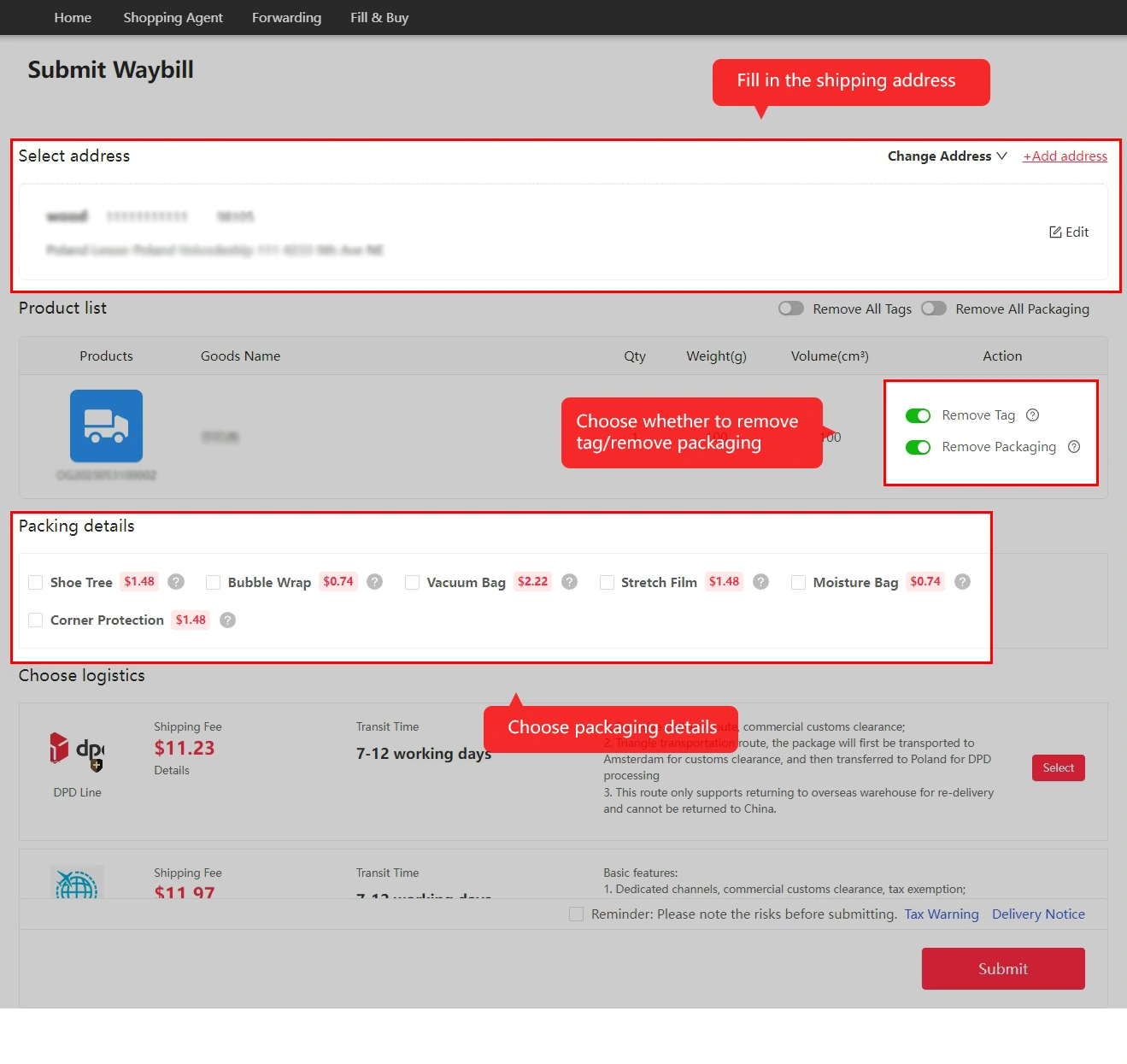
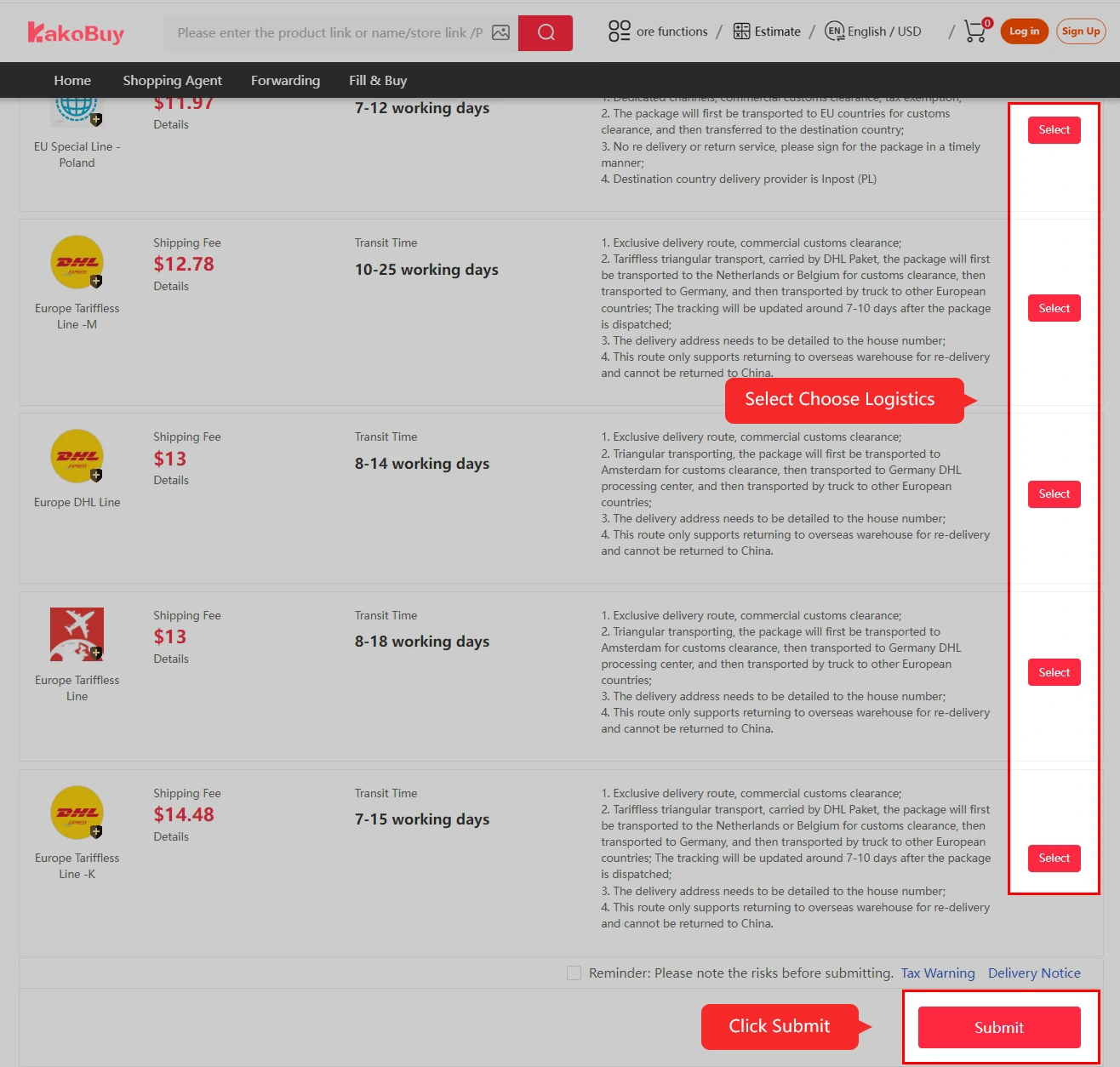
In My Warehouse, select the items you want to send and create a parcel. Confirm your delivery address, choose an eligible shipping line, and review its restrictions, packing options and payable charges.
The tutorial describes services such as removing packaging, reinforcement and label removal. Choose only what you need and check any fee. International freight depends on destination, the route and the parcel’s chargeable weight.
- Storage: the tutorial states 100 days of free warehouse storage. Confirm the expiry for your own items in the account.
- Consolidation: sending eligible items together can help, but compare the packed weight, dimensions and route before assuming a saving.
- Final freight: the tutorial says the difference between estimated and final shipping cost is refunded to your Kakobuy balance after dispatch. Check the actual adjustment in the parcel record.
Compare the selected shipping quotes and route conditions. For product payments and a complete planning total, use the budget tool in Help.
7. Track the packed and dispatched parcel
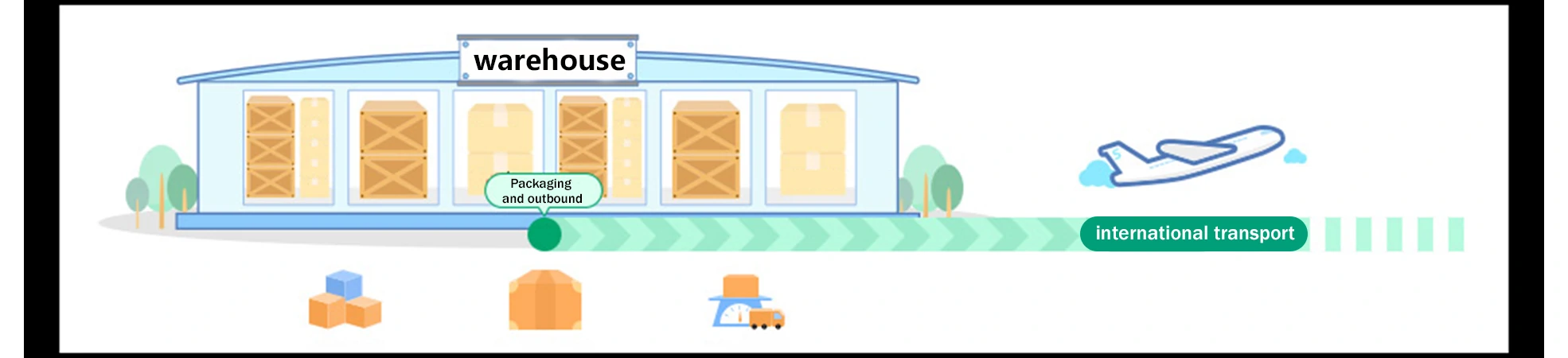
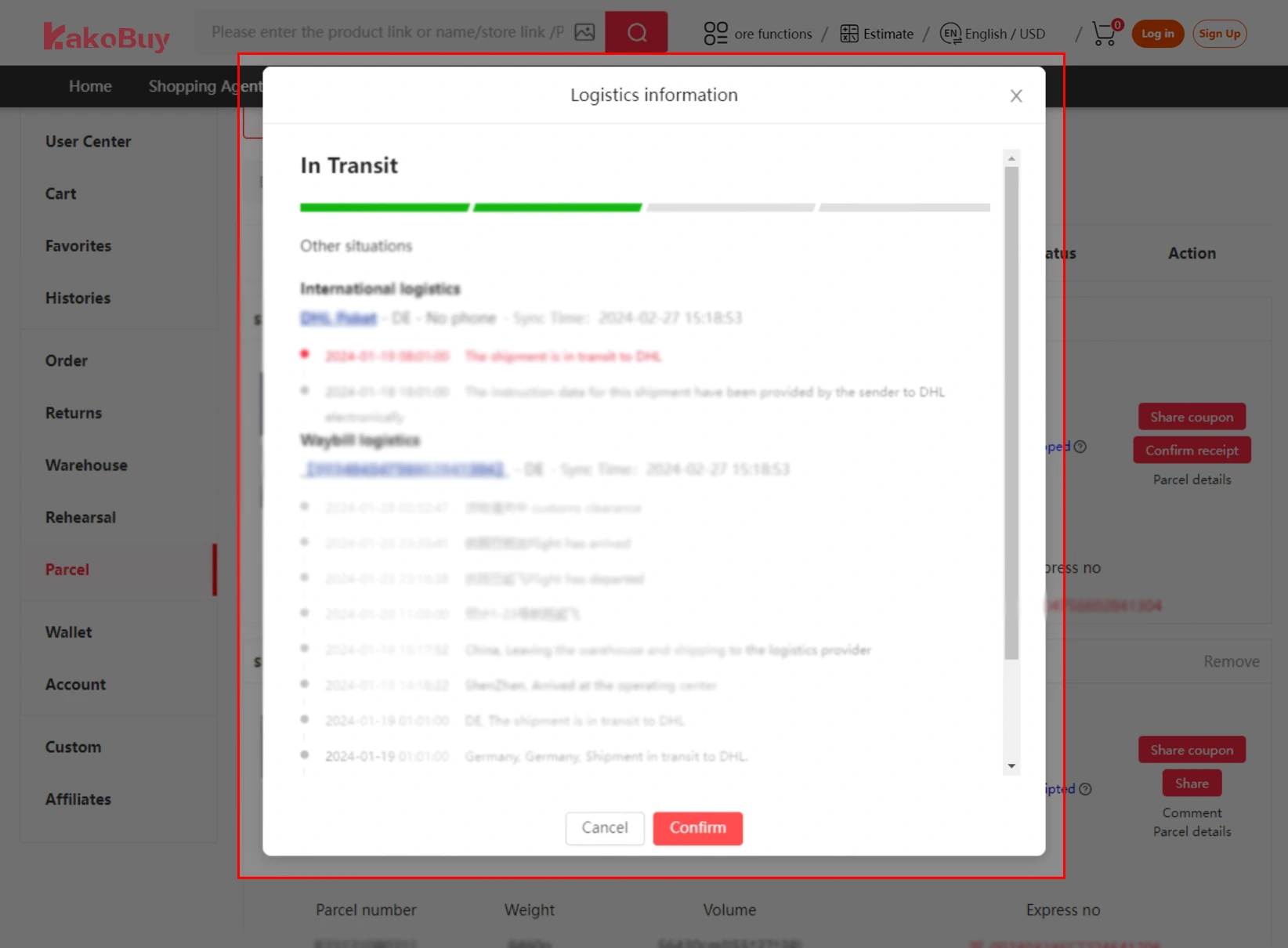
After the parcel leaves the warehouse, open My Account → Package or Parcel to follow its status and tracking events. Keep the route name and parcel reference with the terms you accepted.
Optional protection and insurance have their own conditions. Carrier delays, damage, loss and customs checks can still occur. If an event needs attention, contact the official support entry for your parcel and describe the latest update.
8. Confirm receipt and review your experience
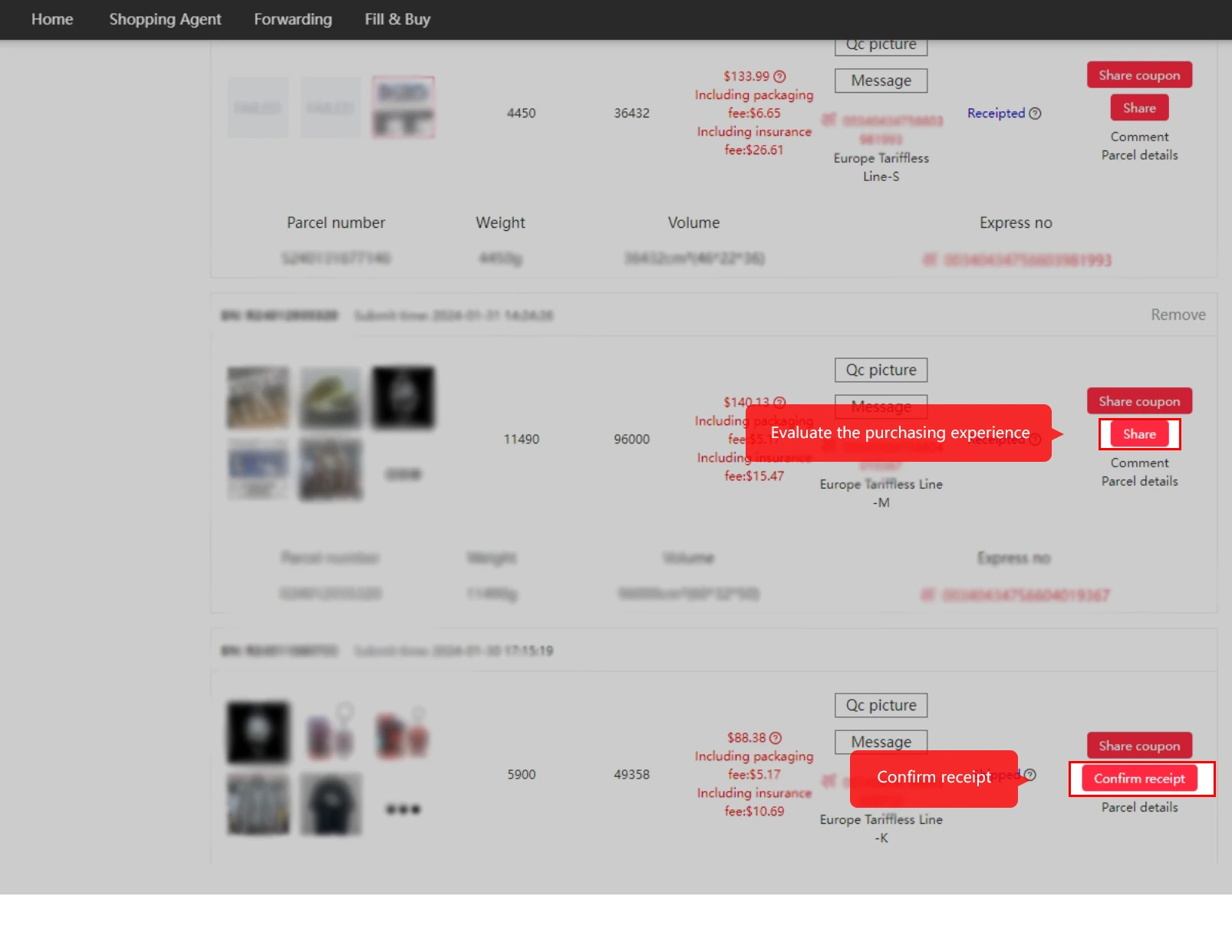
After delivery, check the parcel and contents before confirming receipt on the Parcel page in User Center. Report any issue through the relevant support record, then leave feedback on the purchasing experience.
The tutorial describes shipping points after receipt confirmation, with one point per yuan for gift redemption. Check the current earning basis, eligible spending and rewards shown in your account.
Before you order: three practical reminders
- The seller and agent have different roles. Kakobuy purchases specified third-party products and handles the services you select; the seller’s listing and return terms still matter.
- Budget for two payments. Estimate international shipping before buying, even though the goods are purchased first.
- Read the route terms. Confirm restrictions, customs requirements and any protection before sending your parcel.
Based on the official Kakobuy purchasing tutorial and the materials supplied for this guide. Reviewed 28 September 2026. Current account terms and service availability take precedence over historical interface examples.